

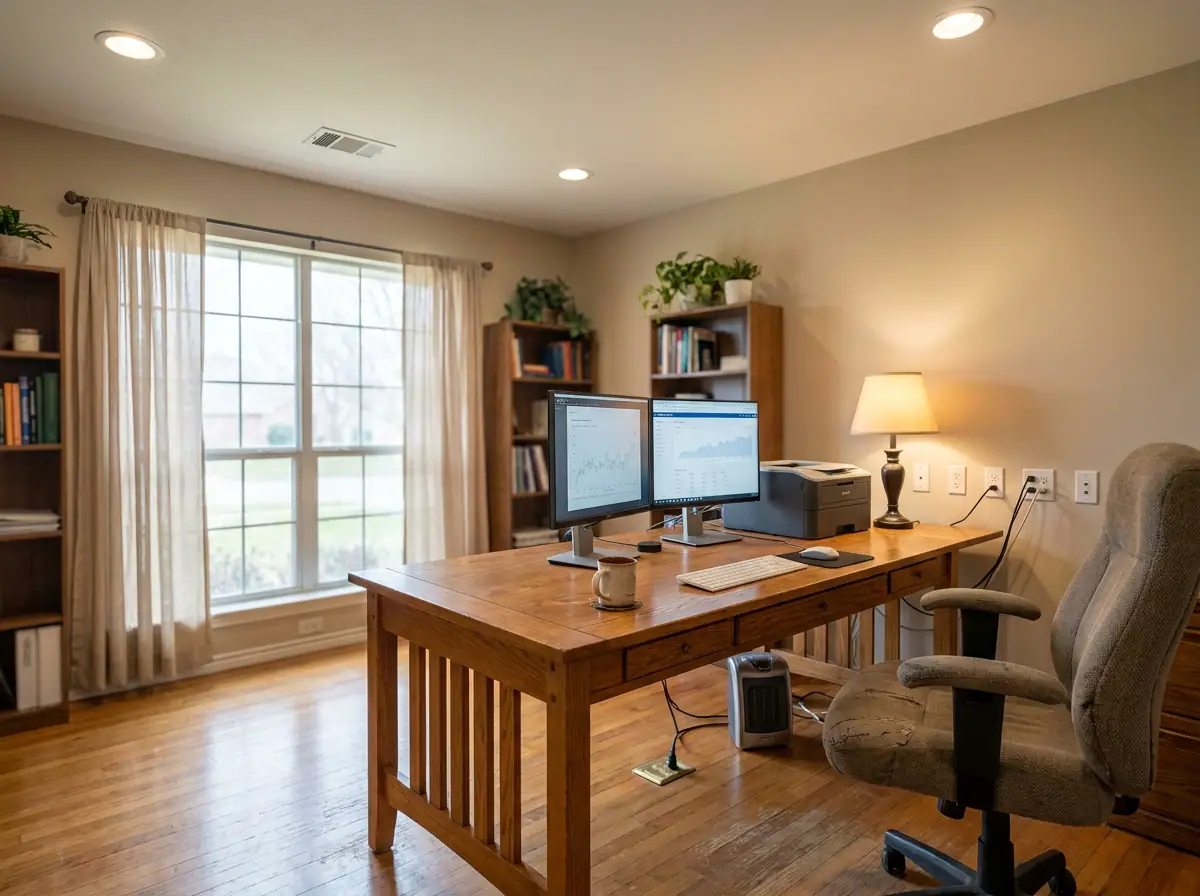
Whether you transitioned to remote work a few years ago and never looked back, or you are finally converting that spare bedroom into a dedicated workspace, one thing is certain: the average home office puts far more demand on your electrical system than most people expect. Computers, monitors, printers, charging cables, desk lamps, video conferencing equipment, and space heaters all running at once can strain circuits that were never designed to handle that kind of load. In Granbury, TX and throughout Hood County, homeowners are discovering that a functional home office starts with the right electrical foundation, not just a good Wi-Fi router.
At Revamped Electric, we work with homeowners across Granbury, Weatherford, Aledo, and the surrounding area to make sure their home offices are powered safely, efficiently, and up to code. This guide breaks down exactly what you need to know before setting up or upgrading your home workspace from an electrical standpoint.
Why Home Office Electrical Demands Are Greater Than You Think
It is easy to underestimate how much power a home office actually draws. A single desktop computer and monitor setup can pull 200 to 400 watts continuously. Add a laser printer, a space heater, task lighting, USB charging hubs, a second monitor, and a podcast microphone, and you are looking at a circuit that is working close to or beyond its safe capacity.
Most standard household circuits are 15-amp circuits. A 15-amp circuit can handle roughly 1,800 watts safely, though the recommended safe load is closer to 1,440 watts to avoid tripping breakers or causing overheating. If your home office shares a circuit with a bathroom, bedroom, or hallway, you are almost certainly pulling from a circuit that was never sized for professional-grade electronics.
The result? Flickering lights, nuisance breaker trips, slow-charging devices, and in more serious cases, overheated wiring inside your walls. If you have been dealing with frequent breaker trips since setting up your home office, that is your electrical system telling you it needs help.
Dedicated Circuits: The Foundation of a Functional Home Office
The single most impactful upgrade you can make for a home office is adding one or more dedicated circuits. A dedicated circuit runs from your electrical panel directly to a specific area or device, meaning it is not shared with any other outlets or appliances in your home.
What a Dedicated Circuit Does for Your Workspace
- Prevents nuisance tripping: When your office equipment has its own circuit, running your computer, printer, and desk lamp at the same time will not trip a breaker shared with your hallway lights or a bedroom fan.
- Protects sensitive electronics: Shared circuits can cause voltage fluctuations that, over time, degrade computers, external hard drives, and other sensitive equipment. A dedicated circuit provides cleaner, more stable power.
- Keeps you code-compliant: If you ever sell your home, buyers and inspectors will notice overloaded circuits. Proper circuit installation keeps your home up to NEC standards and protects your investment.
- Supports future growth: As your office setup grows, a properly sized dedicated circuit gives you room to add equipment without starting over from scratch.
For most home offices, a licensed electrician will recommend at least one dedicated 20-amp circuit for general office equipment, and potentially a second if you are running high-draw devices like a laser printer, a portable AC unit, or studio recording equipment.
Outlet Placement and Quantity: Stop Relying on Power Strips
One of the most common things we see in home offices is a single wall outlet buried behind a desk with three or four power strips daisy-chained together. It is an extremely common setup, and it is also one of the more hazardous ones. Power strips are not surge protectors, and stacking them creates a real fire risk, especially when running high-draw equipment continuously through the workday.
Smart Outlet Planning for a Home Office
A proper home office should have enough outlets strategically placed so that you are not relying on extension cords or multi-tap adapters to power your workspace. Here is what good outlet planning typically looks like for a dedicated office room:
- Multiple outlet locations along the walls so your desk can be positioned anywhere without cords stretching across the room.
- USB outlets or combination USB-A and USB-C outlets built directly into the wall for charging phones, tablets, and accessories without burning up a standard outlet slot.
- Floor outlets if your desk sits in the center of the room, eliminating the need for cords running across walkways.
- Dedicated outlet for your internet router and modem so a power fluctuation in another part of the circuit does not cut your connection mid-video call.
Upgrading or adding outlets in a home office is a straightforward job for a licensed electrician and one that makes an enormous practical difference every single workday. You can learn more about professional outlet installation and how it can be customized for your specific room layout.
Lighting for a Home Office: More Than Just Brightness
Proper lighting in a home office affects productivity, eye strain, and even how you appear on video calls. Yet most spare bedrooms converted into offices are left with a single overhead fixture controlled by a basic switch, which is rarely enough for focused work.
Layered Lighting for a Professional Workspace
Professional electricians approach office lighting in layers:
- Ambient lighting provides overall room brightness. Recessed LED can lights are a popular upgrade because they distribute light evenly and eliminate the glare that a single overhead fixture can create on computer monitors.
- Task lighting focuses light where you actually work, typically directly over a desk or reading area. Having a dedicated switched outlet for a desk lamp, rather than relying on a shared circuit, ensures your task light stays consistent.
- Accent or bias lighting behind monitors or along shelving reduces eye strain during long screen sessions by decreasing the contrast between the bright monitor and a dark surrounding wall.
Dimmer switches are another worthwhile addition. Being able to lower ambient lighting during video calls or brighten the room during detail work gives you real flexibility throughout the day. A licensed electrician can install dimmer-compatible switches and ensure your existing fixtures are compatible with dimmer controls.
Panel Capacity: Can Your Home Handle the Upgrade?
Before any new circuits or outlets are added, it is worth having an electrician take a look at your electrical panel. Older homes in Granbury and the surrounding area, particularly those built before the 1990s, sometimes have panels that are already operating near capacity. Adding a dedicated office circuit on top of a panel that is already maxed out is not just ineffective, it is unsafe.
A panel assessment will tell you whether you have available slots for new breakers, whether your current panel amperage is sufficient for your home’s total load, and whether your panel brand has any known safety concerns. Some older panel models have been flagged by the electrical industry for reliability issues and may warrant a closer look from a licensed professional.
If your panel is undersized or outdated, a panel upgrade might need to come before the office circuits. This is an investment that pays off across the entire home, not just the office. You can read more about what goes into panel changes and upgrades to understand what the process looks like and what it means for your home’s overall electrical health.
Surge Protection for Your Home Office Equipment
Granbury, TX sees its share of summer thunderstorms, and Hood County is no stranger to the kind of power fluctuations that follow severe weather. For a home office filled with computers, external drives, monitors, and other electronics, a power surge can cause thousands of dollars in damage in a fraction of a second.
Whole-home surge protection, installed at the panel, is the most comprehensive solution. It intercepts voltage spikes before they reach any outlet in the house. Point-of-use surge protectors at the desk provide a second layer of defense. Together, they give your office equipment the best possible protection against Texas weather and the utility fluctuations that come with it.
If your home does not yet have whole-home surge protection, it is one of the most cost-effective electrical upgrades available given the value of the equipment it protects.
Bringing It All Together: Building a Home Office That Works
A well-planned home office electrical setup is not just about convenience. It is about safety, reliability, and making sure your workspace can actually support the demands of a full workday without interruption. From dedicated circuits and smart outlet placement to proper lighting and surge protection, each upgrade builds on the last to create a workspace that functions the way a professional environment should.
Homeowners across Granbury, Weatherford, Hudson Oaks, and the surrounding communities in Hood and Parker counties have trusted Revamped Electric to handle exactly this kind of project. As a veteran-owned company, we bring discipline and attention to detail to every job, whether it is a single outlet installation or a complete home office electrical buildout. Our work is done right, done cleanly, and done to code every time.
If you are ready to turn your home office into a space that truly supports the way you work, reach out to our team today. Visit our contact page to get in touch, describe your project, and schedule a time that works for you. We serve Granbury and a 30-mile radius, so whether you are in town or out in the county, we are ready to help you get your workspace powered the right way.