
Before you automate, your Granbury home needs enough panel capacity (200-amp service is now the standard), properly grounded outlets, neutral wires at the switch boxes where smart switches go, dedicated circuits for your network hub and high-draw appliances, and whole-home surge protection at the panel. Older homes, especially those built before the 1990s, often fall short on one or more of these. A licensed electrician can assess your system first so your smart devices run reliably and safely.
Voice-controlled lighting, smart thermostats, security cameras, smart locks and app-connected appliances are showing up in homes all across Granbury and Hood County. They save energy, add convenience and can boost home value, but the devices are only as reliable as the electrical system behind them. Installing them on outdated wiring or an undersized panel leads to disconnections, device damage, tripped breakers and genuine safety risks.
Why Smart Devices Put New Demands on Your Electrical System
Unlike traditional appliances that cycle on and off, most smart devices stay connected and draw a small current 24 hours a day. Consider a moderately equipped smart home: a video doorbell, 15 to 20 smart switches or bulbs, a smart thermostat, three or four security cameras, smart door locks, a whole-home Wi-Fi mesh system, smart plugs, a smart garage door opener and smart speakers in several rooms. Each draws little on its own, but together they are a significant continuous load that older systems were not designed for.
Smart devices also need stable, clean power. Voltage fluctuations, surges, electrical noise, overloaded circuits and aging wiring can make them malfunction, lose their programming, reset unexpectedly, drop off the network or fail early. Many homeowners blame their Wi-Fi or the devices when the real cause is the wiring. If you already have breaker trips, adding more devices will only make it worse.
Is Your Electrical Panel Ready?
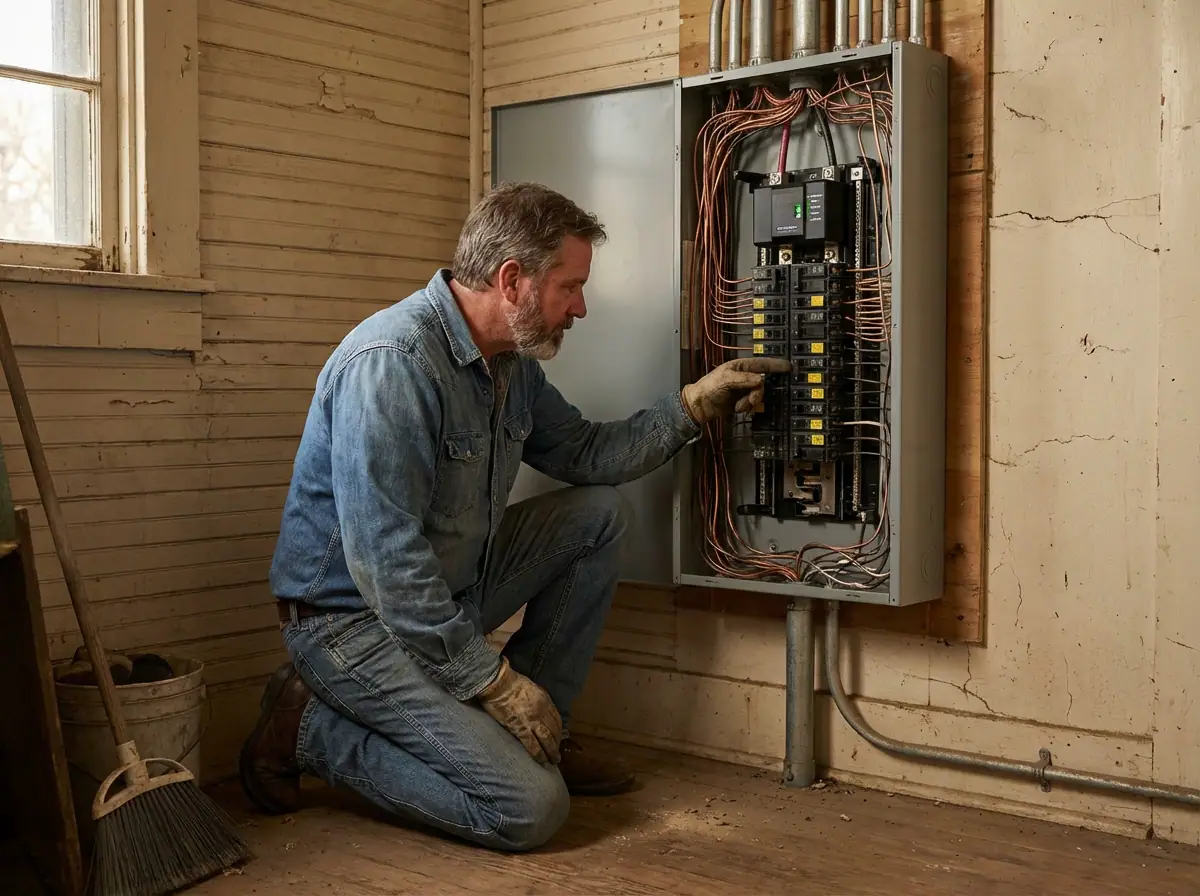
Every circuit runs through your main panel, and it sets how much load your home can safely carry. Most smart upgrades mean adding circuits, outlets or dedicated lines, which is only possible if the panel has spare capacity and open slots.
Many Granbury and Hood County homes built from the 1970s through the 1990s still run on 100-amp panels, and some from the 1980s or earlier have 60-amp service. That was adequate then, but homes with central air, electric appliances, EV chargers, home offices and dozens of smart devices routinely need 200-amp service or more. Some older panel brands also have known reliability and safety concerns, and worn breakers can fail to trip under overload.
Signs your panel needs attention before you go smart:
- Frequent breaker trips
- Lights dim when appliances turn on
- The panel feels warm or makes buzzing sounds
- No open slots for additional breakers
- The panel is original to a home 25 or more years old, or is over 25 to 30 years old
- You still have a fuse box (an upgrade is essential before adding smart technology)
A 200-amp panel gives you headroom for today's technology plus future expansion. Learn more about panel changes.
Dedicated Circuits for Hubs, Networks and High-Draw Devices
Your automation hub, Wi-Fi router, modem and network equipment should never share a circuit with microwaves, refrigerators or power tools. When those appliances cycle, they cause voltage fluctuations that knock devices offline, and if a shared circuit overloads, your whole smart home goes down until power is restored. That is a real vulnerability for security systems and smart locks, where reliability matters most. A dedicated 15 or 20-amp circuit for networking equipment and the primary hub gives the entire system a stable foundation.
Dedicated circuits also make sense for:
- Smart refrigerators, dishwashers, washing machines and other smart kitchen and laundry appliances
- Home theater, entertainment centers, high-end audio and whole-home audio amplifiers
- Smart HVAC equipment
- Home offices running workstations, monitors, networking gear and printers for long periods
An electrician installs each with the correct wire gauge, breaker size and outlet type, which addresses the root cause of many common smart home problems: tripping breakers, slow device response and unexplained reboots. See our circuit installation service.
Grounded Outlets Are Non-Negotiable
Smart devices contain circuit boards, wireless radios and processors that depend on proper grounding, which gives electrical faults a safe path without damaging equipment or creating a shock hazard. Homes built before the mid-1960s often have two-prong ungrounded outlets, and some were only partly updated, leaving a mix of grounded and ungrounded circuits. Devices on ungrounded outlets are more vulnerable to surges and can be damaged over time. Adapter plugs that force three-prong devices into two-prong outlets remove the safety ground, can damage electronics and create shock hazards. Grounding also reduces the electrical noise that disrupts smart home communications.
Many manufacturers state that the warranty is void if a device is used on an ungrounded circuit. An electrician can run new grounded circuits, replace two-prong outlets with grounded three-prong ones, or install GFCI outlets as a code-compliant alternative where running a ground wire is not practical. See outlet installation.
Smart Outlets, USB Outlets and Outlet Placement
Smart outlets are one of the easiest places to start. They let you control plugged-in devices from an app, set schedules and monitor energy use, and they work well in home offices, entertainment centers and bedrooms. They need a properly grounded circuit, so any two-prong outlets must be corrected first. USB and combination outlets remove bulky charger blocks and reduce cord clutter at your most-used spots.
Hubs, routers and mesh nodes need to sit where they give the best signal, which rarely matches existing outlets. Planning your layout first lets an electrician add outlets exactly where needed: in hallways, on upper walls for mesh nodes, near entry points for smart locks and doorbells, and in central spots for hubs, with no extension cords.
Smart Switches and the Neutral Wire
Most in-wall smart switches and dimmers need a neutral wire in the switch box to power their radio and electronics while the light is off. Traditional switches only interrupt the hot leg, so electricians in past decades often did not run a neutral to the switch. If your home was built before the 1990s, some switch boxes likely lack one. If you open a switch box and see only two wires (typically one black and one white used as a traveler rather than a true neutral), you will need electrical work before most smart switches will work.
Your options:
- Run a neutral to the switch box: the most reliable long-term fix, compatible with any smart switch brand.
- Use a no-neutral smart switch: only a few models exist and they have limitations. They are not compatible with every fixture, and LED lights can flicker or buzz with an incompatible dimmer.
- Use smart bulbs instead: these avoid the switch wiring but have their own drawbacks.
Hardwired Smart Lighting
Hardwired smart fixtures and recessed lighting give the cleanest look and most reliable performance, because they are tied directly into your circuits. That requires properly sized circuits, safe wiring runs and code compliance. Recessed lighting paired with smart dimmers is a top request for Granbury homeowners who are remodeling or building new. See our lighting installation service.
Smart Thermostats and the C-Wire
Smart thermostats such as Nest, Ecobee and Honeywell Home usually need a C-wire (common wire) for continuous power to the display and Wi-Fi. Older HVAC systems may not have one at the thermostat. Adapter modules exist, but the most reliable solution is an electrician running a proper C-wire from the HVAC system, which prevents battery drain and dropped connections.
Security Cameras, Doorbells and Outdoor Devices
Hardwired cameras are more reliable than battery models, which need frequent recharging or battery changes. They need a power run to each camera location. Smart doorbells need a compatible transformer, and motion-activated floodlights, landscape lighting controllers and smart garage door openers need properly wired outdoor circuits, sometimes dedicated ones.
Outdoor work must meet code for outdoor-rated wiring, weatherproof boxes, GFCI protection (including near water) and conduit in exposed locations. Cutting corners here creates real hazards during the storms that regularly roll through Hood County.
EV Charging
Smart EV chargers can be scheduled for off-peak hours, monitored remotely and tied into home energy management. Level 2 home chargers typically need a dedicated 240-volt, 40 to 50-amp circuit, which often means a panel upgrade in homes with 100-amp service or a panel near capacity. Plan for it during your smart home upgrade.
Whole-Home Surge Protection
A fully automated home can represent thousands of dollars in equipment, and one lightning strike or grid fluctuation can destroy several devices at once. Surges also come from large appliances cycling inside your own home. Point-of-use surge strips offer limited protection and can give a false sense of security. A whole-home surge protector at the panel stops incoming surges from the utility line before they reach any outlet and helps prevent surges spreading through your wiring. With the thunderstorms and lightning of North Texas spring and summer, it is a basic layer every connected home should have, and it saves the hassle of reprogramming devices after a surge.
Older Granbury Homes and Smart Wiring Challenges
If your home was built before the mid-1990s, check for these first:
- Aluminum wiring (common in homes built roughly 1965 to 1973) can pose compatibility and safety issues with modern smart devices.
- Two-wire systems without a ground limit smart outlet options.
- Knob-and-tube wiring is incompatible with most modern smart infrastructure and carries its own safety concerns.
None of this rules out a smart home. The project simply starts with the underlying wiring, and those upgrades improve your home's overall safety and value too. Learn more about faulty wiring.
How to Plan Your Smart Home Electrical Upgrade
- Start with an assessment. Before buying equipment, have a licensed electrician evaluate panel capacity, wiring condition, grounding and available circuits.
- Build the foundation. Upgrade the panel if needed, add whole-home surge protection and install dedicated circuits for networking equipment and hubs.
- Fix outlets and switches. Correct grounding, add neutrals at switch boxes and put outlets where devices need them.
- Expand system by system. Tackle lighting, security, climate control and entertainment as separate projects, room by room, adding device-specific circuits as you go. Phasing spreads the cost, but plan the whole project up front to avoid redundant work.
- Use a licensed electrician for anything hardwired. Plug-in devices are generally DIY-friendly. Opening walls, running wire, working in the panel or installing in-wall switches and outlets is not.
Some homes need just one project (a panel upgrade, a few new circuits, grounded outlets in key areas and neutrals at switch locations). Older homes may need more. If you are remodeling or building new, that is the easiest time to wire for automation.
Why Professional Installation Matters
Improper electrical work can create fire hazards, damage expensive devices, void warranties and insurance coverage, create code violations and cause problems when you sell. In Granbury and surrounding areas, electrical work must meet Texas state codes and local requirements, and permitted work is inspected for safety and compliance. A professional electrician handles permitting and inspections so your upgrades are fully documented.
Frequently Asked Questions
Do smart switches need a neutral wire?
Most do. A few no-neutral models exist, but they have limitations and can make LED lights flicker or buzz. Running a neutral to the switch box is the most reliable fix.
Can I plug smart devices into two-prong outlets?
You should not. Adapters remove the safety ground, devices are more vulnerable to surges, and many manufacturers void the warranty on ungrounded circuits.
Is a 100-amp panel enough for a smart home?
Often not, especially with central air, electric appliances or an EV charger. A 200-amp panel is the modern standard and leaves room to grow.
Why does my smart thermostat keep losing connection?
It may lack a C-wire for continuous power. An electrician can run one from the HVAC system.
Are surge protector power strips enough?
No. They offer limited protection. A whole-home surge protector at the panel protects every connected device.
What does a Level 2 EV charger need?
Typically a dedicated 240-volt, 40 to 50-amp circuit, which may require a panel upgrade.
Ready to get your home smart-ready? Revamped Electric is a veteran-owned electrician serving Granbury, Tolar, Weatherford, Aledo, Stephenville, Benbrook, Hudson Oaks, Mineral Wells, West Fort Worth and all of Hood, Parker, Johnson and Somervell counties, with no upsells and no runaround. Call 817-677-0036 or request a quote to schedule an assessment.